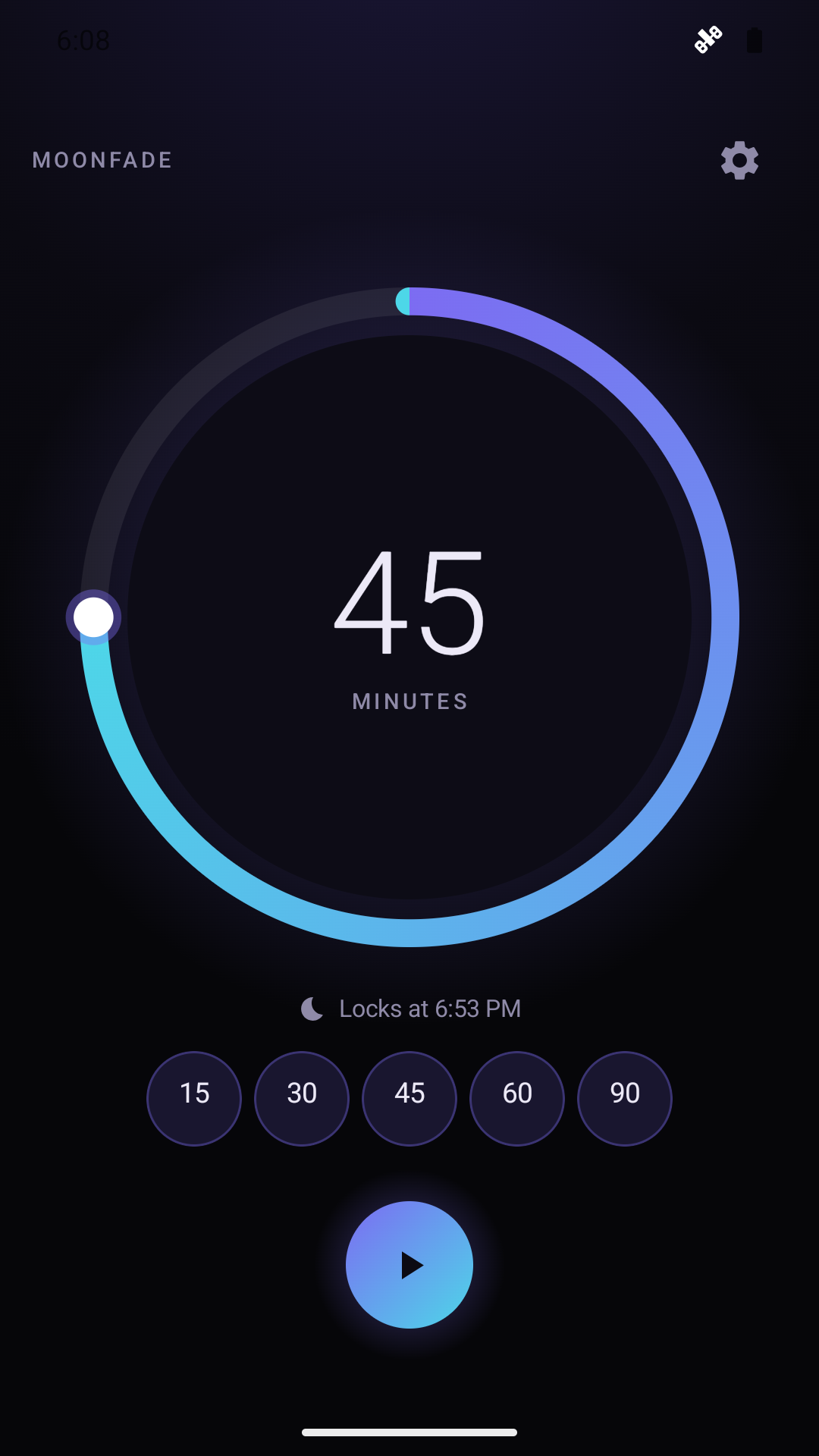
Use YouTube's built-in sleep timer when you only watch YouTube and a plain elapsed-time pause of that video is enough. Use Moonfade when you play media in other Android apps, want a configurable fade before the pause request, and optionally a display lock — knowing Moonfade's pause request depends on the player and device.
Prepare a Moonfade playback report with actual ending settings and separate volume, player and display observations, including anything unclear. Keep order IDs limited to Pro/restoration issues.
Moonfade supports Android 8.0 and later. That minimum only covers installing and running the app; whether your media player actually pauses after the timer still depends on the player and device, so test a short timer with the app you really use.
Open Moonfade Settings and look for a Privacy choices item where required and available. It lets you review or change applicable advertising choices, and it is separate from Android's advertising ID controls. No Moonfade account is required, but the free version's ad and consent services can still process data.
If Moonfade Pro stays unavailable, confirm the purchasing account in the Play Store, use Restore purchase on the Pro screen, and record the returned message for support.
No. Moonfade does not require an account and keeps timer settings, presets, themes, and fade choices on your device, but the free version may show ads through Google Mobile Ads, and advertising and consent services can still process data.
Moonfade Pro is an optional one-time Google Play purchase that unlocks four additional night themes. Themes change how the timer screen looks, not how the countdown, fade, or playback behaves.
Run one short, observable timer on your actual headphone output, confirm the fade is a media-volume change after the countdown, and check the player's pause behavior separately.
Gentle Start and Late Drop are optional Pro fade-curve choices that shape how Moonfade's 0–60-second fade behaves. They are separate from the countdown duration and do not extend or shorten the timer. Confirm the audible result with a short test.
Moonfade Pro’s widget starts a timer from a compact duration or expanded preset layout and shows countdown, end time, and Stop while running. Complete screen-lock setup in the app first and test the ending with your usual player.
Moonfade's free version offers five fixed quick presets: 15, 30, 45, 60, and 90 minutes. Pro unlocks five presets you can set to your own durations. Here's how the two sets differ, when each is enough, and what a preset does not change.
Plan a new Moonfade installation with manually recreated settings and a separate eligible Pro restoration check. Android backup and device transfer are disabled for the app.
Clearing app data removes Moonfade’s local preferences. Prepare a reference for the settings you want, then check eligible Pro restoration through Google Play separately.
Moonfade requires no customer account. Understand how that differs from a Google Play purchase account, locally stored timer settings, and advertising services.
Use the purchasing Google Play account and Restore purchase on Moonfade’s Pro screen. If the unlock stays unavailable, send support the order ID and safe context.
Moonfade keeps timer preferences on your device. Separate those local values from Google Play purchase records and advertising processing when planning changes.
Choose between Moonfade’s basic timer workflow and optional Pro features based on your actual needs: ads, editable presets, widget access, themes, or fade choices.
Moonfade Pro is an optional one-time Google Play purchase. Understand the unlock, the purchasing account, and restoration without confusing Pro with a subscription.
Moonfade’s ending works on Android media volume. Keep that separate from alarm, call, and notification sounds—and from whether your player actually pauses.