Moonfade Blog
Can Moonfade stop an audiobook at the end of a chapter?
Moonfade times elapsed listening, not audiobook chapters. Compare your player’s documented boundary controls with a conditional Moonfade ending and a short test.
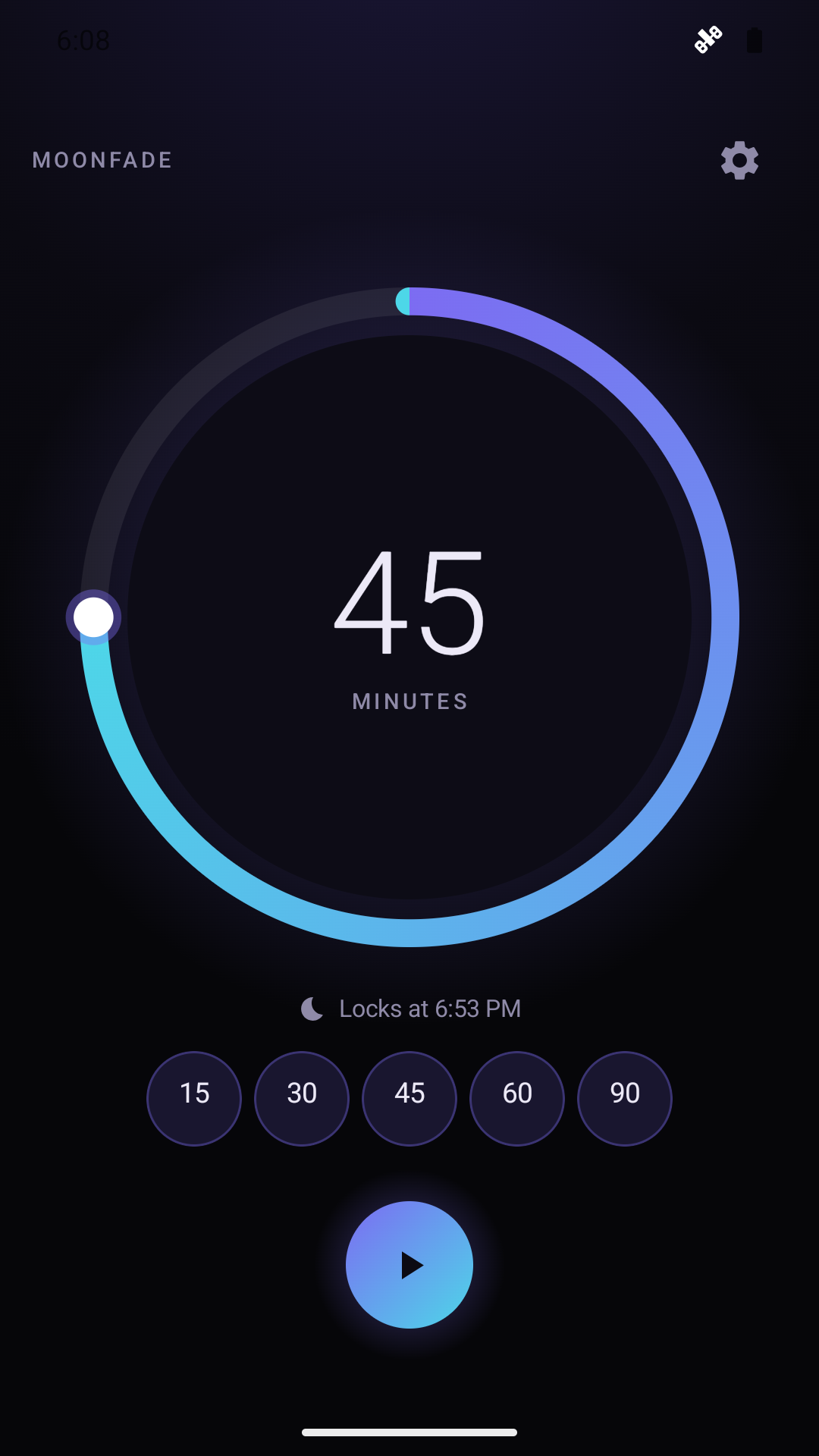
Moonfade does not have a documented automatic “stop at the end of this chapter” feature. It provides a duration-based countdown for audio playing in your Android audiobook app. Use it when you want a session defined by time; if you need an exact chapter boundary, check whether your audiobook player documents a native control for that task. The Moonfade product guide describes timer durations, a post-countdown fade, and a playback request, rather than chapter detection.
That distinction helps you choose an appropriate stopping method without expecting the timer to understand the book’s structure.
Decide which endpoint matters
A time endpoint and a chapter endpoint answer different questions. A time endpoint is a duration from when you start the countdown. A chapter endpoint belongs to the recording and the player’s current position.
If you simply want a limited listening session, choose a Moonfade duration that fits it. If hearing the complete chapter is essential, investigate the actual audiobook player’s options and official help. Do not assume a feature exists merely because another player offers something similar.
An estimate based on the player’s displayed remaining chapter time can guide your own timer choice. It is still an estimate, not a claim that Moonfade reads progress or automatically updates itself when you seek within the book.
Make a practical time estimate
Before setting the timer, inspect the audiobook player and decide what portion of the recording you want to hear. If the player shows useful chapter progress, use that information as a manual reference.
Then choose a Moonfade duration with the dial or a built-in preset. Its supported range is 1 minute to 24 hours. Select based on the session you intend rather than assuming a preset corresponds to a chapter length.
If you change position in the audiobook after choosing the countdown, reassess the plan. A duration chosen earlier may no longer line up with the section you now want to hear. Moonfade’s notification can add or subtract time, but those adjustments change its countdown; they do not establish chapter synchronization.
Include the fade in your expectation
With Stop audio & video enabled, countdown completion starts the configured 0–60-second media-volume fade, followed by an audio-focus request to pause playback. Moonfade then separately requests display lock if Turn off the screen is enabled. Disabling Stop audio & video skips both the fade and audio-focus request. A zero-second fade removes the gradual interval; it does not prove playback paused. Check the actual player and display separately.
For spoken content, a positive fade can make the last audible words quieter after your time limit. It does not line up with a chapter boundary.
For an audiobook, consider whether you prefer that gradual ending or a zero-second fade without a gradual interval. Listen to a short test rather than assuming a particular setting will preserve the last sentence of a chapter.
A time estimate plus a fade is not a guarantee of an exact boundary. The player’s pause response remains separate, so do not present the calculated countdown as proof of where the recording will stop.
Test with the actual audiobook player
Prepare the test in a clear sequence:
- Start the audiobook in its player.
- Choose a short Moonfade countdown.
- Enable Stop audio & video in Moonfade Settings.
- Set the fade length you want to assess.
- Tap Start and complete Device Admin activation when prompted before the countdown can begin, as required by the current version.
Observe the countdown completion, media-volume change, and the audiobook player’s pause state separately. Device Admin enables display lock; it is not universal playback control.
Moonfade Support explains that media apps and Android devices can respond differently to volume adjustment and audio-focus requests. A quiet recording is not enough to confirm that its progress stopped.
Use the controlled player-response guide to check the complete ending and the first-timer setup guide for required activation.
After the test, inspect the player’s position and note it manually if needed. This guide does not promise that Moonfade creates a bookmark, saves book progress, or controls how an audiobook app resumes later.
Common questions
Can I adjust the timer when a chapter runs longer than expected? You can use Moonfade’s documented notification controls to change an active countdown. Check the updated remaining time; do not assume a fixed adjustment increment or automatic recognition of a chapter ending.
Can I use the player’s own chapter control instead? Investigate its official instructions if a chapter endpoint matters. This article does not verify a particular player’s native feature or promise that two timers will coordinate automatically.
For support, describe the phone model, Android version, audiobook app, timer duration, fade, and actual stopping behavior. Avoid describing a missing chapter feature as a fault in a duration-based timer.
Get Moonfade on Google Play and test a short audiobook session, using the player’s actual position to decide whether a time-based ending fits your needs.